Sadeq RezaiThe Working Studio

◇ Studio Lab / Independent experimentThree.js · Voice · AI context

Digital Twin.
A portfolio you can ask.

I built a browser character that answers questions about my work, with text, speech and movement connected to the same conversation.

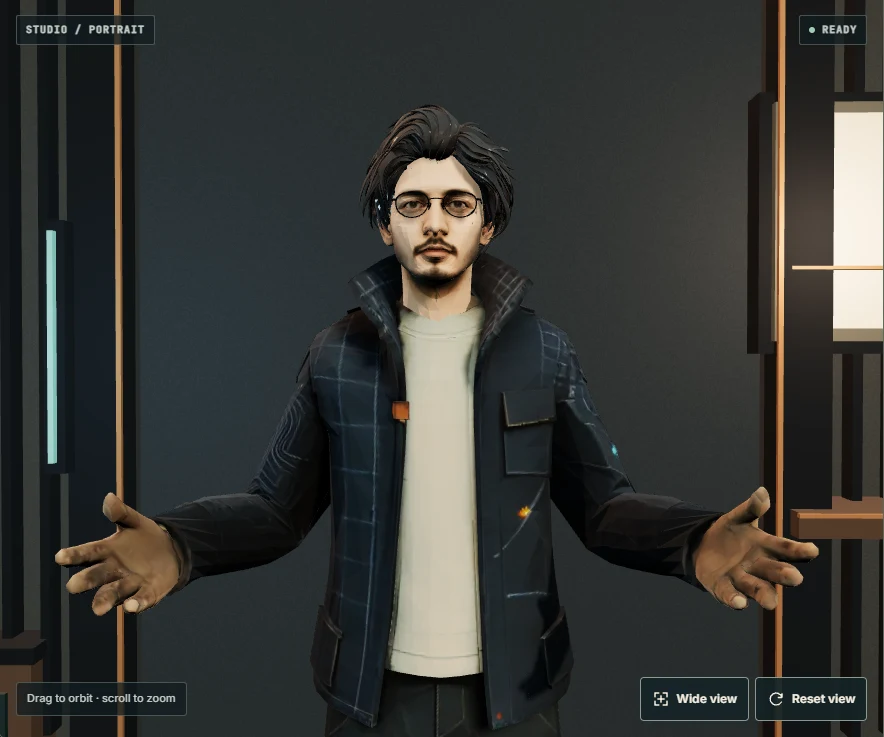
INTERACTIVE 3D DIGITAL TWINLive studio / 03
The Digital Twin character explaining with open hands in the graphite and copper 3D studio

The conversation

Ask in text.
Or use your voice.

Open the same interactive studio directly from this page, without starting the character or microphone until requested.

Captured from the Version 3 character renderer, with independently animated fingers. The animated scene loads only when you open the assistant.

01 / Inside the system

From a question to a reply.

There are several ways to ask, one controlled context for the reply, and different ways to present it. The map and moving theatre illustrate those paths.

System map

Full-size map

Select a box to understand its part. Open its matching animation to see the behaviour.

Animated reply theatre

Full-size guide

The card represents a question, its stop is the work profile, the puppet is the optional 3D layer and the tray is the readable reply. The guide loops until you pause.

The original map and guide are local teaching views; they use neither your microphone nor the live provider.

02 / Interaction design

Keep the conversation in motion.

Speaking, listening and thinking are states of one character. Their transitions should look connected, even when the answer arrives at a different speed from the animation.

Blend gestures

Authored body animation now works with a separate layer for all 30 finger joints. Relaxed, open, pointing and rounded poses blend with the wrist and arm motion. I refined the hand geometry without replacing the original character asset.
Coordinate speech

Audio energy and transcript timing help drive mouth targets and body movement, with readiness checks before speech starts. The result is approximate visual synchronisation.

Control the context

The assistant uses a maintained professional source, and server-side functions handle chat and transcription. It is designed to explain my work without pretending to know my private life.

Preserve text

The viewer is requested before the 3D model loads. If optional rendering, voice or microphone features fail, typed chat remains the alternative wherever the responding service is available.

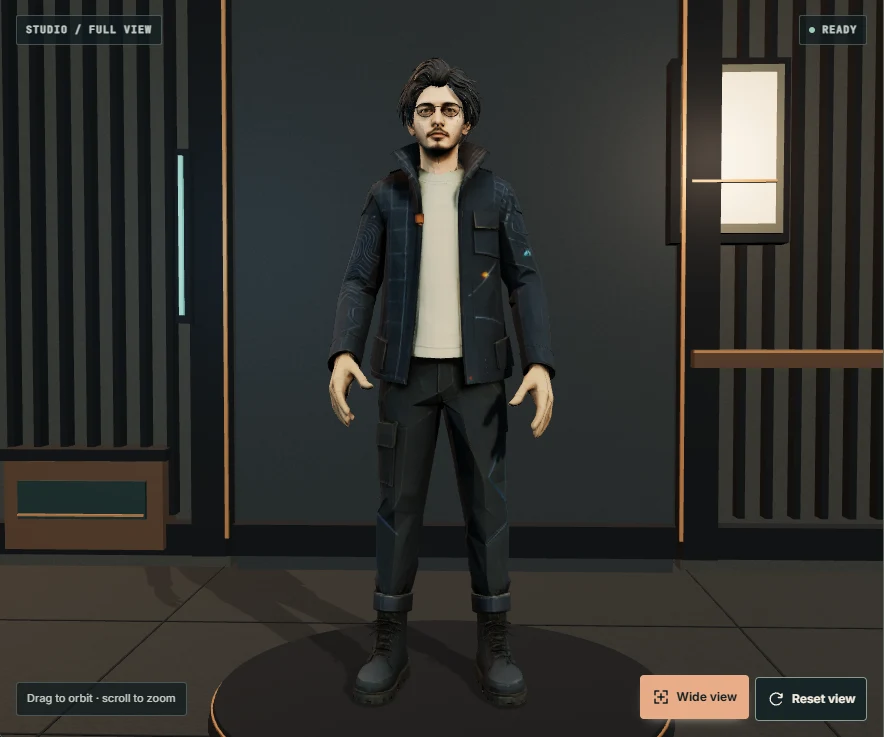
STUDIO ENVIRONMENTWide camera / 03
Full-body view of the digital character inside the enclosed architectural studio

Space and movement

A room, not a backdrop.

The studio is built from 3D geometry on every side. Switch to the wide camera to see the character and room together, or orbit around the portrait. Repeated details are instanced and the static architecture is grouped by material.

Actual wide-camera capture; the room remains present throughout the supported orbit range.

03 / Boundaries

Where the experiment ends.

The actual application is optional. You can understand the design and its limits without opening it or granting microphone permission.

Reply quality

The character is a software interface. AI answers can be wrong, and the replies are not me personally speaking. The context limits the subject; it cannot guarantee an accurate answer.

Speech and assets

Support varies by browser and permissions. The real demo may process a voice question remotely. Code and integration are documented separately from adapted animation resources and identity artwork; the source-code license does not grant reuse of the character likeness.

The teaching map illustrates the reply architecture reviewed at frontend revision cc7771f. Version 3 (9497614) extends the character performance and studio without changing that reply path. Provider configuration can change; this is not a continuously updated dependency graph.