Sadeq RezaiThe Working Studio
Let’s talk

Configuration consulting · Browser & API testing

Configuration &workflow validation.

I configure workflows, test browser and API behaviour, and build data tools. My background includes configuration consulting at FRAIA and data analysis at Peroptyx.

Budapest, Hungary · Open to work

Original film: scroll motion where supported.

01 / Selected work

Selected projects.

Start with a project. See what I contributed, why I made the decisions, and what you can check for yourself.

Hover or focus a preview to see the system in motion.Open a case study for the full walkthrough.

Display

Adjust the background and project previews.

More projects, code and documentation.

Explore more on GitHub ↗

How I work.

01

Define what should happen.

I start with the workflow, its constraints and how we will check the result. For monitoring, that means a complete journey, from login through to logout.

02

Make the work visible.

I connect the parts and keep decisions readable. In Seneschal, that means explicit permissions, task dependencies and handoffs between agents.

03

Check where it can fail.

I test the important paths and build a fallback where one is needed. The digital twin keeps text chat available when voice or 3D cannot load.

Ask about my work.
By voice or text.

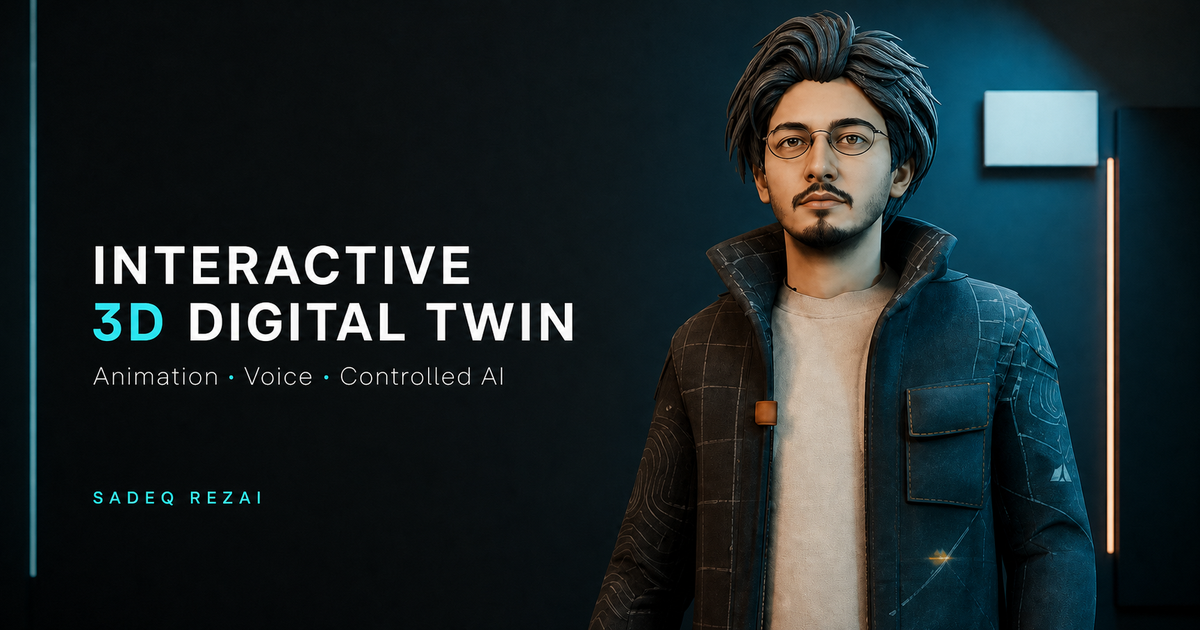
I connected a paper-cut character, animation, speech and a professional knowledge source into one browser experience. Ask about my work here, or explore how the system handles voice, lip movement and fallbacks.

Explore the full case study

The assistant is optional. The case study contains its launcher, engineering notes and interactive guides.

Voice, 3D and background music start only when requested.

Sadeq Rezai.

Based in Budapest.
Open to work.

My background spans configuration consulting at FRAIA and data analysis at Peroptyx. At FRAIA, I worked across requirements, browser and API validation, and AI-assisted delivery.

I use AI-assisted development for web implementation and take responsibility for the structure, integration and testing. R is my strongest programming language; I also have practical Python and SQL knowledge.

Apr 2025–Sep 2026
FRAIA / Configuration
2024–2025
Peroptyx / Data analysis
LANGUAGES
English C1 · Hungarian B1–B2
Farsi native · German A2

05 / Configuration · Validation · Data tools

Let’s talk
about the work.

Email me

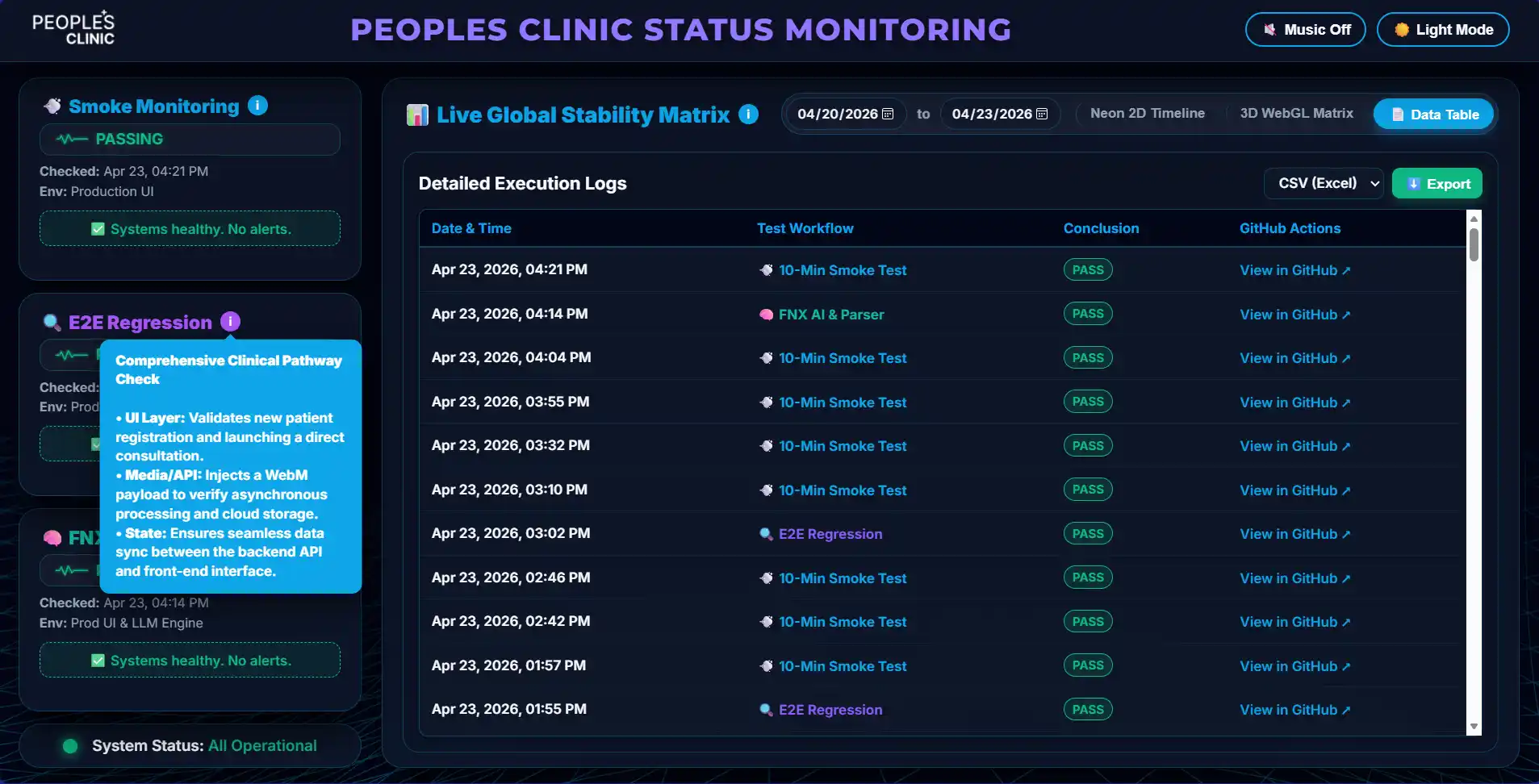
Peoples Clinic QA Suite

Quality engineering / Browser · API · CI/CD

A repeatable way to check a web workflow and keep the evidence available when a check fails.

The problem

A page can load while a login, consultation or API path still fails. Those journeys need checks that can run again and leave useful evidence.

My focus

I connected workflow validation with scheduled execution and a dashboard, so the checks and their latest states can be inspected together.

The implementation

  • Smoke checks for login, dashboard and logout.
  • UI/API regression checks for the consultation workflow.
  • Parser and AI-behavior checks with artifacts.
  • Cooldown-aware alerts for repeated failures.

What you can inspect

The dashboard shows status and execution history for each suite, including when a monitor is paused. The screenshot on this page is a historical example.

These checks cover selected behavior. They do not establish clinical accuracy or guarantee availability.

Seneschal

AI workflow tools / Windows · WSL · OpenCode

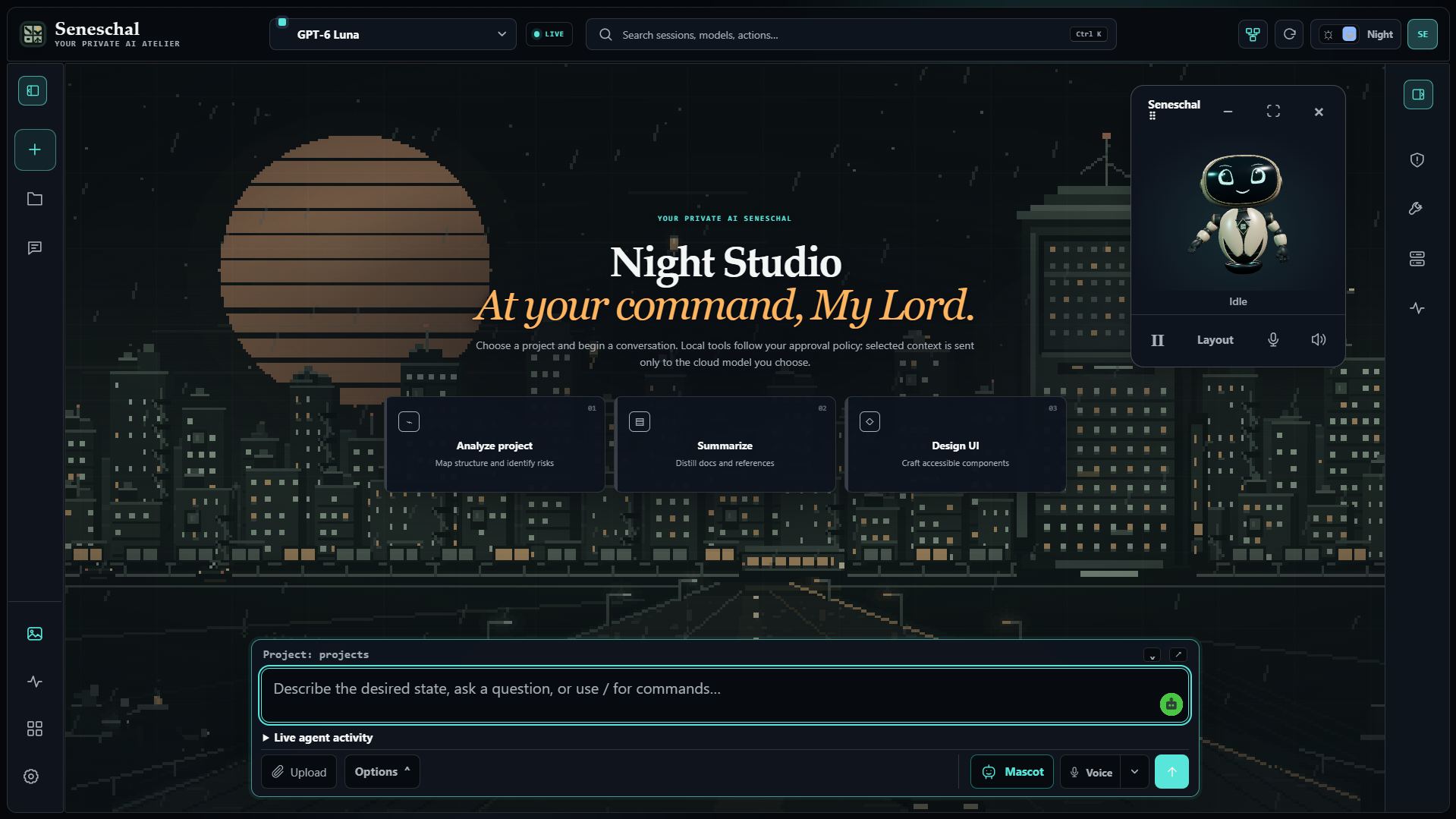
A local workspace that makes agent tasks, permissions and review visible.

The problem

Working with several AI agents creates decisions about who does what, which tasks depend on others and what an agent may change. I wanted those decisions in the interface.

My focus

I structured the workflow and directed the AI-assisted implementation: sessions, roles, access controls and a board for coordinating dependent work.

A decision in the design

A dependent task starts after its selected prerequisites finish. Each board card retains a session, and a supervisor can review the completed work. Permissions and handoffs stay visible.

What you can inspect

The public beta includes source code, releases and documentation for the Agent Board, Windows/WSL setup and local integrations. Cloud model use still depends on the selected provider.

The portfolio image shows the Night Studio workspace and desktop mascot.

Exchange Universe

Currency atlas / R · Shiny · Leaflet · ECharts · Plotly

Compare value through time. See where each currency belongs.

Explore the source-linked system map and animated guide →

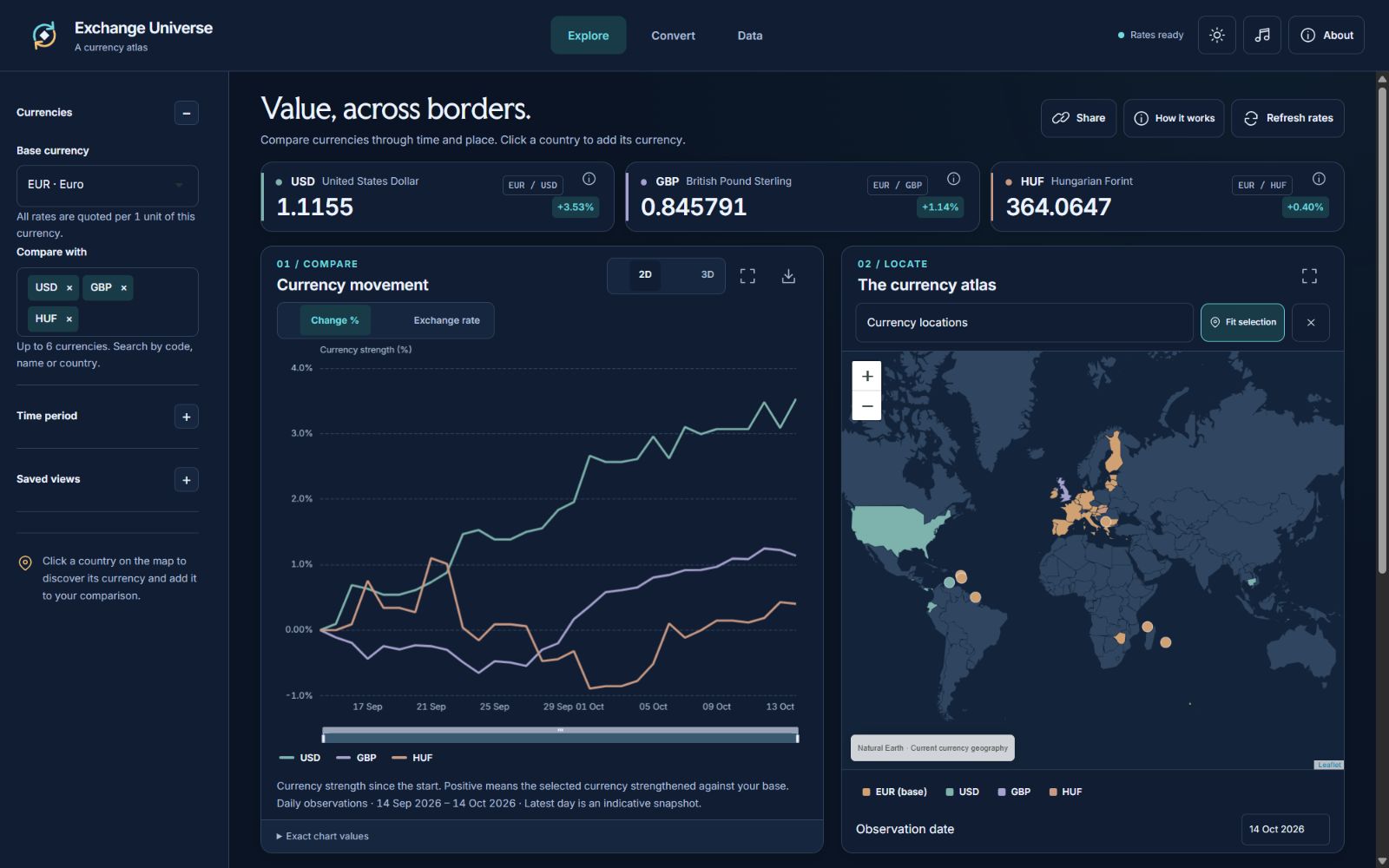
Published dashboard with How it works, movement chart and linked Leaflet world atlas
Explore · published dashboard captured on 14 October 2026. Displayed rates are a snapshot.

The problem

The original dashboard presented rates without enough geographic context. Long layouts also made it harder to compare charts, find controls and inspect detailed values.

What I rebuilt

I reorganised the app into Explore, Convert and Data views, connected a Leaflet atlas to currency selection, and refined the interface for desktop and mobile. API integration and data preparation remain in R/Shiny.

Connected interactions

Click a supported country to add or remove its currency from a comparison of up to six. Charts, map colours and exact-value tables follow the selection. Conversion, CSV export, optional 3D plots and fullscreen views provide different ways to inspect it.

Reliability decisions

Shared caches, bounded request queues, deduplication and retry backoff reduce unnecessary provider calls. Focused offline checks cover quota controls and date validation; they are not a complete security audit.

Data boundaries

Historical observations are daily, not hourly. Quotes are indicative and exclude fees and buy/sell spreads. Currency coverage and freshness depend on the API plan. Hosting, performance and data availability remain constraints rather than guarantees.