
Edition 01 / Classic
Code-drawn pixels.
Each world is drawn on a canvas, using scene-specific layers, a palette, weather, ambient animation and interactive hotspots.
I wanted a wallpaper that responds to small interactions rather than looping a video. Afterlight is an offline Windows app with nine scenes, from a rainy city canal to a lunar station. I designed the experience and used AI to help build the renderer and desktop integration.
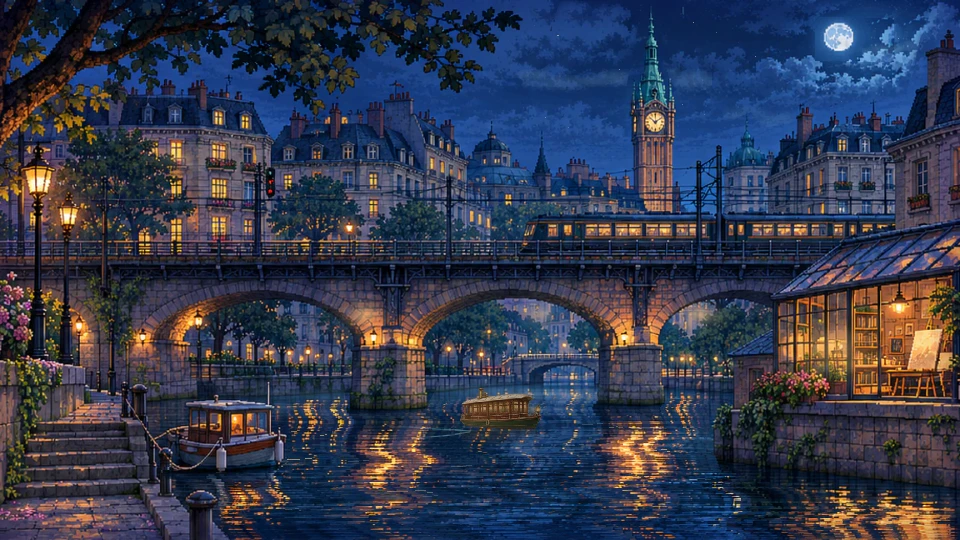
Edition 01 / Classic
Each world is drawn on a canvas, using scene-specific layers, a palette, weather, ambient animation and interactive hotspots.
Edition 02 / Cinema
Day and night scene artwork with separate local layers for movement and interaction. Classic and Cinema have separate installers.
01 / The Cinema renderer
This preview uses Afterlight's own Cinema renderer and two local scene sheets. Switch the light, touch the water through a button, or start an action. It is a browser sample, not the Windows wallpaper host.
The preview has no audio input, AI calls or network services. Animation pauses when this scene is out of view.
Scene controls / 2 of 9 worlds
Lighting here is independent of the portfolio theme.
Scene loads when in view. Animation starts unless reduced motion is enabled.
Motion actions are available while animation runs. Lights and palettes can change while paused.
02 / The collection
Five original Afterlight environments and four adapted from the Seneschal workspace. Scene settings can be kept separately, and worlds can rotate without restarting the wallpaper.
Rain, windows and a waterfront train.
In browser sampleAn observatory above the water.
In browser sampleA train compartment in motion.
An underwater environment.
A garden and quiet reflections.
A city avenue adapted from Seneschal.
Night streets adapted from Seneschal.
A lunar station adapted from Seneschal.
An orbital scene adapted from Seneschal.
03 / From artwork to wallpaper
Keeping a wallpaper behind the desktop icons is different from drawing it in a browser. I worked on both, including how to pause rendering and recover the app's own desktop layer.
The native application manages its own wallpaper layer, the tray controls and the local settings. It also handles pause and bounded recovery.
WebView2 hosts the renderer. It loads packaged assets and advances the world from local state, actions and a single animation clock.
The selected world renders at 960 × 540, including its local layers. Changing worlds disposes the old scene; 4K still export scales the image rather than rendering native 4K animation.
Playback
I included motion controls, a Stillness mode and safeguards for when the renderer should stop. Optional music response starts off. If enabled in the desktop app, it analyses the default Windows audio output locally, which can include notifications and calls. No microphone, capture files or music service are needed.
Installation
The target is Windows 10/11 x64 with .NET Framework 4.8 and WebView2. After those prerequisites, the app does not require Docker, Node, API keys or a network connection. The current installers are unsigned; review the release information before running them.
04 / Recorded checks
These counts come from the original Afterlight 1.8 offline test record. They are not a live reading, a separate Cinema certification or proof of a clean Windows installation.
Each scene ran through 12 palette/weather combinations, one-loop, pause, hidden, Stillness and recovery checks.
Each changed canvas pixels in the test, and the 24 corresponding hotspot centres were routed.
Packaging and installer actions were checked in an isolated setting. This was not a fresh desktop installation on another PC.